Giving Pi a Mobile Interface
I use Pi for most of my development work. I often have multiple Pi sessions running across different projects, sometimes with an agent working for a while before it needs anything from me.
That works great while I’m at my computer. However, I find myself often wanting to be able to kick something off or send a note to agent that is connect to my project management software while away from the computer.
I could SSH into the machine using Termius. It works but meh - I don’t love it. I want it to work well and I want it to be nice and not have to fight against things that are designed for a desktop.
I want app-like. And we’re now in a day of you-can-just-do-things. So I built Pi Remote.
Pi still runs in the terminal
I’m hardly the first one to do this and I won’t be the last, but this is my version of a Pi web UI for desktop and mobile.
My initial requirements were this:
- Pi runs on my local machine
- Allow devices to connect via Tailscale
- Responsive session chat UI
- Full visibilty of agent activity: reasoning blocks, tool calls, final agent output
- Notifications at end of agent turns
- New sessions with directory selection
I had tried buidling a version of this before using older versions of Opus 4.5 for Claude Code before Claude Code had mobile app remote control. Those previous attempts were flaky and did not work well. So I wasn’t sure what to expect.
That said, Pi allows for level of extendability much greater than the other harnesses like Claude Code and Codex.
So I set GPT 5.6 Sol off on this.
We set things up with three pieces
- A Pi extension running inside each interactive Pi session.
- A local broker that keeps track of those sessions and routes messages.
- A progressive web app that provides the mobile and desktop interface.
Each Pi process still owns its model, tools, session, message queue, and agent loop. A Pi extension reports what that process is doing to a local broker, and the web app connects to the broker. When I send something from my phone, it gets routed back to the selected Pi process and goes through Pi’s own APIs.
There isn’t a broker service I need to start separately. The first extension-enabled Pi process that can’t find the broker starts it. Other sessions register as they come online. If the process that originally started the broker exits, another session can start a replacement and the remaining extensions reconnect.
None of this interrupts Pi. I can close the browser, lose connection on my phone, or restart the broker and the agent continues working in the terminal - I can use Pi completely normally like none of this extension exists when working on my local machine.
Pi Extension
The Pi extension is written in TypeScript and runs inside Pi through its extension API. There is no wrapper process around Pi and I don’t have to launch Pi through a special command. As long as the extension is loaded, a normal interactive Pi session registers itself with Pi Remote.
The extension listens for Pi’s structured events: session changes, agent and turn state, streamed message updates, tool execution, model changes, and thinking-level changes. It sends those events to the broker instead of trying to scrape the TUI. It also sends an initial snapshot containing the current conversation branch and session details such as the working directory, model, idle state, and available commands.
Communication between the extension and broker is a local TCP connection on port 8786. Messages are newline-delimited JSON. The extension sends a heartbeat every ten seconds and reconnects automatically if the broker disappears. If there is no broker available, the first interactive extension that gets there starts one; if two try at the same time, the one that loses the port race just connects to the winner.
Commands coming back from the broker are translated into Pi’s own extension APIs. Prompts, images, steering, and follow-ups go through sendUserMessage. Abort uses Pi’s abort API, shutdown uses the session shutdown API, and clone or fork uses Pi’s native session replacement flow when the installed Pi version supports it. The broker never tries to recreate Pi’s agent loop or modify a session file behind the running process.
Each extension instance also creates a random process generation when it starts. The browser has to send that generation back with anything that mutates a session. I get into why that matters further down.
Local broker
The broker is also TypeScript running on Node 22. I kept the stack deliberately small. It mostly uses Node’s built-in HTTP, TCP, filesystem, crypto, and child-process APIs, with ws for browser WebSockets and web-push for notifications. There is no framework and no database.
It listens in two places on loopback: port 8786 for the Pi extension connections and port 8787 for the browser UI. The extension side uses plain local TCP. The browser side uses HTTP for the static app and bounded uploads, plus a WebSocket at /ws for session state, streamed events, and commands.
The broker keeps an in-memory registry of the live Pi processes. When a browser selects a session, it receives a full snapshot followed by sequenced events. If the connection drops, the browser reconnects and requests a fresh snapshot rather than assuming it received everything while it was offline.
Starting and resuming sessions also happens here. The broker uses Pi’s SessionManager to inspect saved sessions and launches Pi with execFile and spawn inside detached Zellij sessions. Arguments are passed directly without shell interpolation. Directory browsing is restricted to configured roots, resolves real paths before returning them, and only exposes directory names rather than file contents.
Voice transcription and text-to-speech are sent to ElevenLabs from the broker using Node’s built-in fetch. Images are signature-checked and held temporarily in memory. Web Push keys and subscriptions are managed through web-push. The small amount of state that does need to persist—broker credentials, VAPID keys, push subscriptions, and provider keys—lives under ~/.pi/agent/pi-remote with private filesystem permissions. Pi remains responsible for the actual conversations and session files.
Progressive Web App
The browser app is plain HTML, CSS, and JavaScript. There is no React, frontend framework, package bundler, or build step. I didn’t see a reason to add any of that for a local single-user interface, and keeping it as static files means the broker can serve it directly.
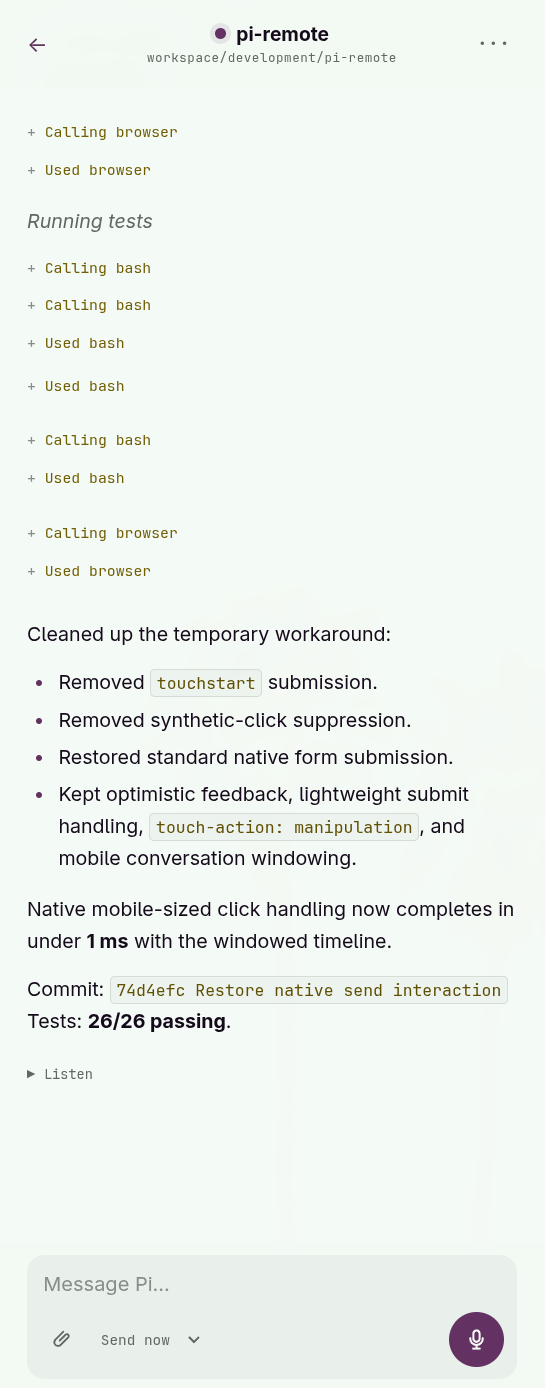
The app connects to the broker with a WebSocket and renders Pi’s snapshots and streamed events. Assistant responses are rendered with a vendored copy of markdown-it with raw HTML disabled. The desktop layout adds a persistent agent rail and keyboard-driven session switcher, while the mobile layout keeps the same conversation and controls in a single-column interface.
localStorage is only used for small interface preferences such as the selected session, composer mode, voice autoplay, and an optional remembered fallback token. Conversation state comes from Pi through the broker rather than being treated as browser state.
The web app has a manifest and can be installed to the iPhone home screen. Its service worker is there primarily for Web Push rather than offline operation. A notification click stores the target session briefly in IndexedDB so the right conversation can open even when iOS has to start the app from scratch.
Voice recording uses the browser’s MediaRecorder and getUserMedia APIs. Image attachments use the browser File APIs before uploading to the broker. Notifications use the standard Service Worker, Push, and Notification APIs. When the WebSocket disconnects, the app backs off, reconnects, authenticates again, and replaces its local view with a new authoritative session snapshot.
Working with more than one agent
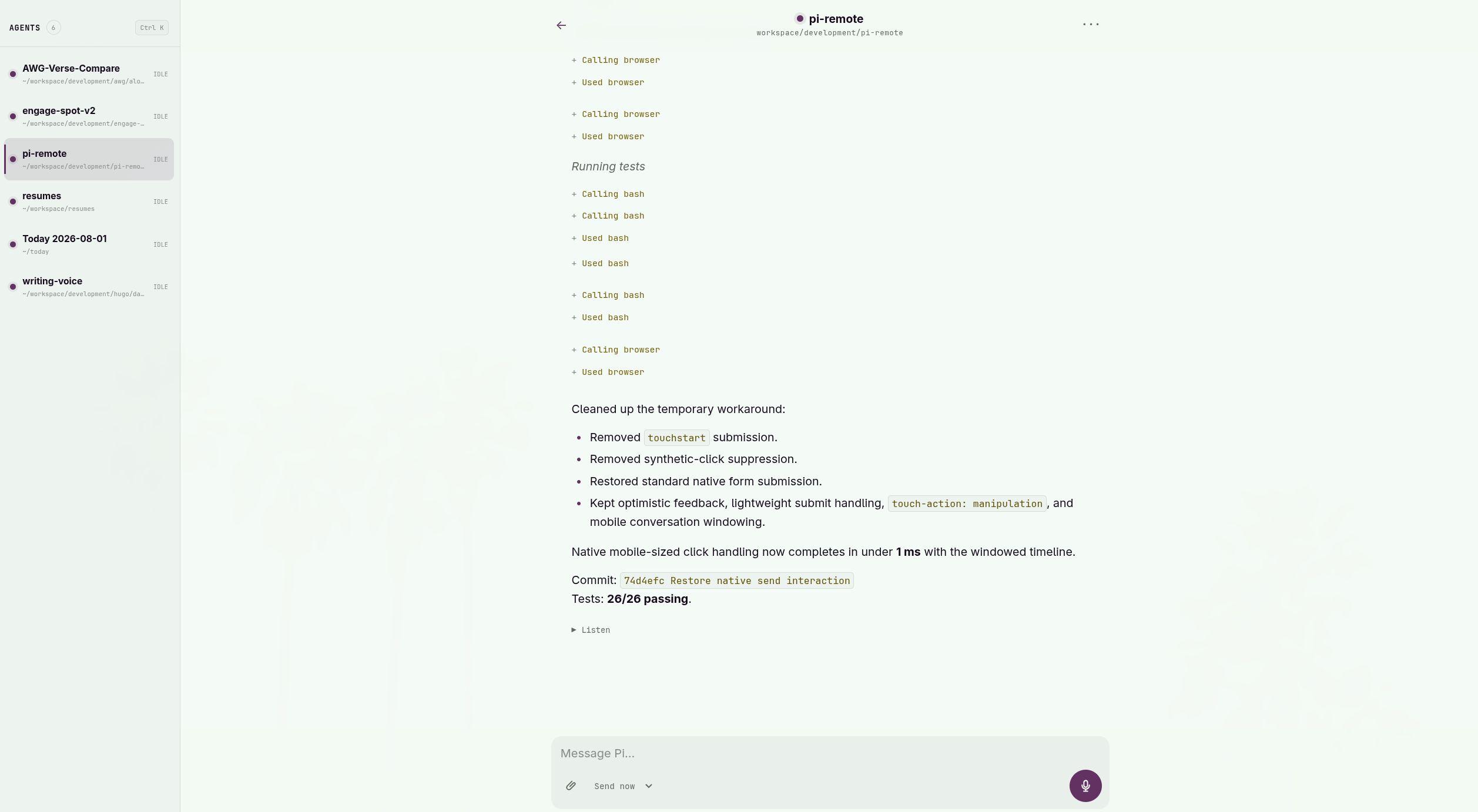
The main Agents screen shows the top-level, extension-enabled Pi sessions currently registered on the machine. Each one includes the project, model, and whether it is idle or working.
I have an extension for agent delegation. Agent delegation allows an agent to delegate work to other agents in the background or in to launch an agent in the foreground in interactive mode.
Delegated child agents out of agents list in the PWA. I might eventually have delegated foreground agents added to the list, but for now this is simplest and keeps the PWA interface unnecessarily noisy. What I generally care about is the Pi session I started for each project. I then discuss work with that agent and use that agent to launch other agents.
Pi Remote can also start a new session or resume a saved one. By default, it can list directory names beneath my home directory, although the allowed roots can be restricted in configuration. Starting or resuming a session launches Pi inside a detached Zellij session so it continues running independently of the browser.

There is no general shell or arbitrary file browser. This isn’t intended to be remote desktop software. It is specifically an interface for working with Pi.
Voice and images
Typing a detailed development prompt on a phone gets old quickly, so I added voice input through ElevenLabs.
I can record a voice note, have it transcribed by the local broker, review the transcription, and send it as a prompt, steer, or follow-up. The ElevenLabs credentials stay on my computer rather than being exposed to the browser.
There is also a voice mode that reads the completed response back to me. That has been particularly useful when I’m away from my desk and just want to check in on an agent without staring at my phone.
Images follow the same general approach. Pi Remote accepts up to four PNG, JPEG, or WebP images for a prompt. The broker checks the actual file signatures, keeps the files in bounded memory, expires them after ten minutes, and consumes them when the prompt is sent. They are not written into a general upload directory.
The commands loaded in a session
A Pi session may have extension commands, prompt templates, and skills loaded for a project. The extension asks Pi for an inventory of the commands available in the selected session, and Pi Remote displays them in a searchable list inside Session Details.
The list is currently informational. Pi Remote does not invoke those commands or expand skills and templates through the composer. Remote submissions send text and images through Pi’s sendUserMessage API.
Making sure a command reaches the right process
A saved Pi session can outlive the process currently running it. I can quit Pi and later resume the same conversation in a new process. The session ID stays the same, but it is no longer the process the browser originally connected to.
To handle that, every extension creates a random process generation when it starts. Browser mutations include both the session ID and that generation. If the browser is looking at an old process and another Pi process has resumed the session, the command is rejected instead of being delivered somewhere I didn’t intend.
This is one of those details that is almost invisible when everything works, but it matters a lot once a browser is allowed to control live processes.
Notifications
Pi Remote can send a Web Push notification when an agent finishes a successful response. The notification opens the correct session and includes the session name along with a bounded plain-text excerpt of the final response.
The excerpt is limited to 240 grapheme clusters and 960 UTF-8 bytes. Thinking, tool output, streaming fragments, failed output, and earlier messages are excluded. The excerpt still passes through the push provider and may appear on the lock screen, so notifications should only be enabled on devices I trust.
Push is entirely best-effort. A failed notification never interrupts the agent or its event stream.
Security considerations
Pi Remote does not expose a shell endpoint, but a prompt sent to Pi can cause its enabled tools to run commands, read files, or edit code. Remote prompt access is another form of machine access and needs to be treated that way.
The broker binds to 127.0.0.1 by default. I use Tailscale Serve to expose it privately over HTTPS and identify the connecting tailnet user. A high-entropy fallback token is available for localhost or another carefully configured private proxy. Browser and extension connections use separate credentials.
WebSocket upgrades and mutation requests require the Origin host and port to match the Host header. Mutations also include the process-generation check. ElevenLabs requests have explicit timeouts, and voice, image, and JSON inputs all have bounded sizes.
Pi Remote is designed for me or a small trusted group on a private tailnet. It is not a hardened multi-tenant service. Authenticated users share the same machine-level authority, with no per-user isolation for sessions or files. I would not expose it through Tailscale Funnel or a public reverse proxy.
Where it is now
Pi Remote can discover active sessions, start and resume Pi in Zellij, stream assistant and tool activity, send prompts and images, steer work in progress, queue follow-ups, accept voice input, read responses aloud, inspect the commands loaded in a session, and notify me when an agent is ready.
The part I care about most is still the original requirement: the Pi process remains the authoritative source of truth. The phone is an interface for the same agent that is already running in my terminal.
Since writing this, I have also written about how I use the Pi coding agent remotely from my phone, including project services, private development previews, files, voice, and notifications.